
Product tour
Tour construction timesheet software — field entry to payroll
See how contractors capture crew hours by job, approve timesheets, and export payroll-ready Excel or CSV. Built for construction and trades in Canada and the US.
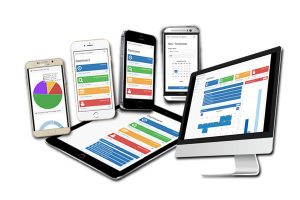
We built MSCTIME for construction companies where crews are rarely at a desk. Supervisors approve time; your office exports to Excel, CSV, and the tools you already use.
Mobile entry
Crews record hours by job, phase, and cost code from a phone or tablet in about a minute — no app-store install required. The same browser experience works on desktop when the office needs a wider view.
Supervisor approval
Supervisors review regular and overtime hours before payroll. Missing codes and buddy-punching get caught on site — not in a Friday scramble.
Payroll export
Export approved time to Excel, CSV, or PDF for import into QuickBooks-friendly workflows, Sage, ADP, Payworks, and the tools your bookkeeper already uses.
What you can do with MSCTIME
Field entry
Crews enter time by job, phase, and cost code from any browser.
Supervisor approval
Review and approve hours before payroll runs.
Payroll exports
Excel, CSV, PDF — built for import into your accounting stack.
Customizable
Your cost codes, workflows, and reports — not a one-size-fits-all template.
See your potential savings
Use our calculator to estimate time and cost savings vs paper timesheets.
See it live
Schedule a free online demo
Walk through setup, crew entry, and payroll export with our team.